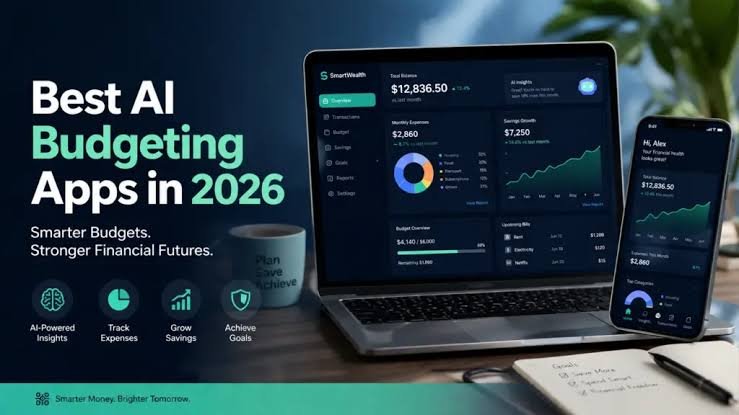
Managing money has become an essential skill for people across the United States. With rising living expenses, housing costs, grocery bills, insurance premiums, and monthly subscriptions, keeping track of income and spending can be challenging. Many Americans want to save more money, reduce debt, build an emergency fund, and prepare for future financial goals, but they may not know exactly where their money goes each month. Budgeting apps can make this process easier by organizing financial information, tracking expenses, and helping users create a realistic spending plan.
The best budgeting apps in the USA for 2026 offer different features for different financial needs. Some automatically categorize transactions from linked bank accounts, while others focus on giving every dollar a specific purpose. Certain apps help couples manage shared finances, and others are designed for people who want to monitor bills, track subscriptions, or save for a major purchase. Several services offer free plans, while more advanced features may require a monthly or annual subscription.
Choosing the right app depends on a person’s financial situation, preferred budgeting method, and comfort level with connecting financial accounts. Someone who wants a simple overview of monthly expenses may need a different solution from a person paying off credit card debt or managing an irregular freelance income.
This guide explores popular budgeting apps available to consumers in the United States, explains their main features, discusses their advantages and limitations, and provides practical advice for choosing an option that supports long-term financial stability. Prices, subscription terms, bank connections, and app features can change, so users should confirm the latest details before signing up.
1. Why Budgeting Apps Are Important in 2026
Budgeting apps help people understand how much money they earn, where they spend it, and how much they can reasonably save. Instead of relying entirely on memory or manually reviewing every bank statement, users can organize their financial information in one place and review their progress throughout the month.
One of the biggest benefits of budgeting is financial awareness. Small purchases may appear insignificant individually, but frequent restaurant visits, online shopping, delivery fees, and unused subscriptions can add up. An app that organizes these expenses can help users recognize patterns they might otherwise overlook.
Budgeting apps can also make it easier to plan for bills. Rent, mortgage payments, utilities, insurance, transportation, and loan installments often arrive on different dates. A clear budget helps users prepare for these obligations before spending money on less important purchases.
Another benefit is goal setting. Many people want to save for a vacation, replace an old vehicle, buy a home, pay off debt, or build an emergency fund. A budgeting app can help turn a broad goal into smaller monthly targets. For example, someone planning to save $1,200 over a year can aim to set aside approximately $100 each month, provided that amount fits their income and essential expenses.
Budgeting apps can also help households communicate about money. Couples who share bills may use a joint budget to understand their combined expenses, while individuals can use a personal budget to prepare for future responsibilities.
However, an app does not automatically improve financial health. Its value depends on whether users review their spending, make realistic plans, and adjust their behavior when necessary. The best app is one that people understand and use consistently.
2. YNAB: Best for Giving Every Dollar a Purpose
You Need a Budget, commonly known as YNAB, is a budgeting app built around a proactive budgeting method. Instead of simply recording what users have spent, it encourages them to assign available money to specific categories before spending it.
This method can be useful for people who want greater control over their finances. Users can create categories for rent, groceries, utilities, transportation, debt payments, savings, and entertainment. When money arrives, they decide how it should be allocated according to their priorities.
For example, a household receiving a monthly paycheck can first assign money to housing, food, insurance, and other essential expenses. The remaining amount can then be divided among savings, debt reduction, and optional purchases. This process encourages users to make intentional decisions instead of spending first and calculating the consequences later.
YNAB is particularly helpful for people who want to change their financial habits. Its approach encourages users to plan for irregular expenses such as vehicle maintenance, annual insurance premiums, holiday gifts, and school supplies. By setting aside smaller amounts over time, users may be better prepared when these expenses arrive.
The app also offers tools for reviewing spending, monitoring progress, and managing financial goals. Depending on the current product features, users may be able to access budgeting information across supported devices and share a budget with another person.
The main disadvantage is the subscription cost. YNAB is generally a paid service, although eligibility-based trials or other offers may be available. Users should confirm current pricing before subscribing. Its budgeting method can also require an adjustment period for people accustomed to checking their bank balance and spending without assigning money to categories.
YNAB is best for people who want a hands-on budgeting system and are willing to review their finances regularly. It may be especially valuable for households trying to reduce debt, prepare for irregular expenses, or stop living paycheck to paycheck.
3. Monarch Money: Best for Managing the Complete Financial Picture
Monarch Money is a personal finance platform designed to help users organize their financial lives in one place. It can be useful for people who want to monitor spending, accounts, budgets, savings goals, and broader financial progress without switching between multiple financial applications.
Many Americans have money spread across checking accounts, savings accounts, credit cards, loans, retirement accounts, and investment platforms. Reviewing each account separately can make it difficult to understand the overall situation. A consolidated dashboard can provide a clearer picture of income, expenses, balances, and financial trends.
Monarch Money supports budgeting and spending categorization, allowing users to compare their spending with planned amounts. Users can establish categories for necessities, discretionary purchases, and savings, then review whether their actual spending matches their plans.
The app may also be useful for couples and households that want to organize shared financial goals. A couple saving for a down payment, for example, can review their progress and discuss how monthly spending affects the target.
Another advantage is the ability to look beyond day-to-day transactions. Users who want to understand their net worth or monitor multiple financial accounts may appreciate having more information in one dashboard. The exact accounts and features available depend on supported institutions and current service terms.
Monarch Money generally focuses on paid access, although trials or promotional arrangements may vary. This makes it important to compare the subscription cost with the time saved and the features actually needed. Users should also check whether their financial institutions connect reliably before depending on automatic updates.
Monarch Money is a strong option for people who want a detailed, consolidated view of their finances. It may be particularly suitable for couples, households with multiple accounts, and users who want budgeting to fit into a broader financial planning routine.
4. Rocket Money: Best for Tracking Subscriptions and Recurring Bills
Rocket Money is a personal finance app known for helping users review spending, identify recurring payments, and monitor subscriptions. It can be particularly useful for Americans who suspect they are paying for services they no longer use or who want a clearer picture of their monthly bills.
Subscription expenses can be easy to overlook. Streaming platforms, cloud storage, fitness memberships, software services, delivery memberships, and other recurring charges may be billed automatically. Because these payments are often relatively small, users may not notice how much they cost over a full year.
Rocket Money can help users identify recurring transactions and review their financial activity. Depending on current features and account eligibility, the app may also offer subscription-management tools, bill-related assistance, spending insights, and budgeting functions.
For example, a user reviewing a monthly budget may discover several subscriptions that are no longer useful. Cancelling unnecessary services can free up money for groceries, debt payments, or savings. The benefit depends on the subscriptions involved and whether the user actually cancels them.
Rocket Money may offer a free version alongside premium features. Some services or cancellation assistance may have specific eligibility requirements, restrictions, or fees, so users should carefully read the terms before accepting an offer. They should also verify whether a cancellation has been completed with the service provider rather than assuming that an app has automatically ended a payment.
The app is especially useful for people who want to reduce recurring expenses and improve visibility into their monthly spending. However, subscription tracking alone may not provide all the planning features required by someone who wants a detailed zero-based budget.
For users whose biggest financial problem is forgotten subscriptions or recurring charges, Rocket Money can be a practical starting point for improving financial awareness.
5. Goodbudget: Best for the Envelope Budgeting Method
Goodbudget is a budgeting app based on the envelope method. Traditionally, this approach involves dividing money into separate envelopes for different spending categories. Goodbudget applies the same idea digitally, helping users allocate money to categories before spending it.
The envelope method is straightforward. A user might create envelopes for groceries, transportation, entertainment, clothing, household bills, and savings. Each category receives a planned amount, and spending reduces the available balance in that envelope.
This approach can be especially helpful for people who struggle with overspending. If the entertainment envelope has a limited balance, the user can see how much remains before making another purchase. This encourages more deliberate decisions and helps distinguish essential spending from optional expenses.
Goodbudget can also be useful for couples or families who want to coordinate their spending plans. Sharing a budget can help household members understand the amount available for different purposes and discuss adjustments when expenses change.
The digital envelope system does not necessarily require users to keep money in separate physical accounts. Instead, the categories act as planning tools that show how available income has been assigned. Users must still ensure that their actual bank balances can cover payments when they are due.
Goodbudget offers a free plan and paid options, with features and limits depending on the current subscription terms. Users should compare the number of envelopes, account options, synchronization features, and other limits against their needs.
The main limitation is that users who prefer automatic transaction categorization and a highly automated financial dashboard may find an envelope-based workflow more hands-on. Its effectiveness depends on maintaining the budget and recording or reviewing transactions consistently.
Goodbudget is a good choice for people who want a simple, category-based method for controlling spending. It can be particularly useful for beginners, couples, and households that want to make spending limits easier to understand.
For More Information About Article, Click Here.
For More UseFul Articles, Click Here.